

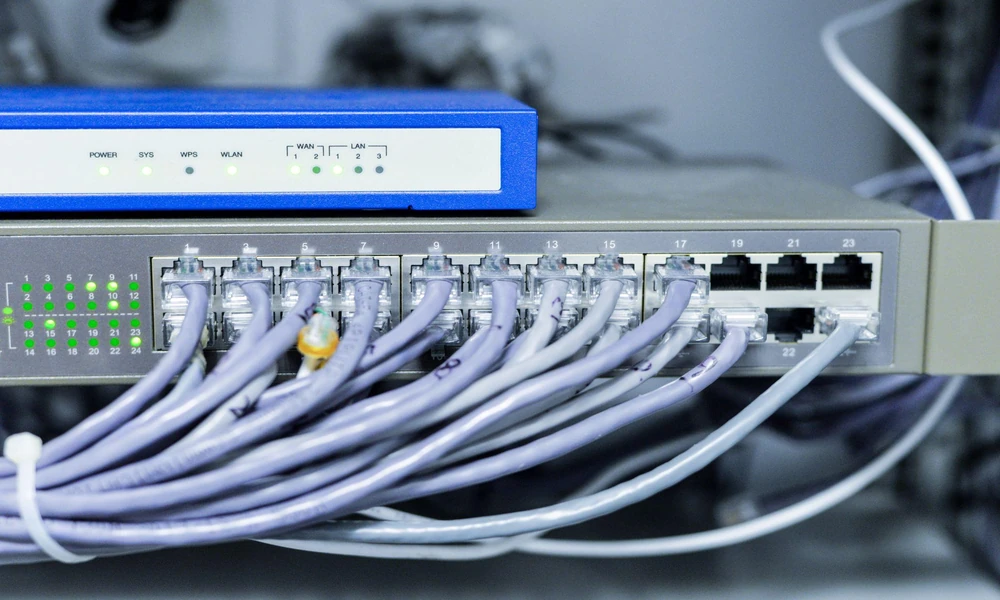
Offices rarely stay the same size for long. New staff need laptops, meeting rooms get video conferencing systems, and smart printers, cameras and sensors appear over time. Each device seems minor on its own, but together they place growing demands on a network that was often designed for far fewer connections. That said, without regular checks through a network maintenance service or an internal review, problems can build quietly until they cause slowdowns, outages or security incidents. Knowing where the hidden risks lie can help you plan growth before it disrupts daily work.
Bandwidth Congestion
Every new device competes for the same internet connection and internal network capacity. As more users and systems come online, congestion can show up in ways like these:
- Slower file transfers and cloud application performance during peak hours.
- Choppy or dropped video calls when several meetings run at once.
- Large updates or backups that consume bandwidth needed for daily work.
- Streaming or personal device use that competes with business traffic.
- Cloud phone systems that drop calls when the connection is congested.
Wi-Fi Coverage and Interference
Wireless networks are especially sensitive to growth. Access points that served a small team well can struggle once more people and devices connect, leading to issues such as these:
- Too many devices connected to a single access point, reducing speeds for everyone.
- Dead zones in new workstations, meeting rooms or storage areas.
- Interference from neighbouring offices’ networks in shared buildings.
- Older devices slowing down the network for newer ones on the same band.
- Glass partitions, metal shelving or new walls that weaken wireless signals.
Strain on Switches, Cabling and Ageing Hardware
The physical equipment behind the network also has limits. Many offices rely on IT hardware maintenance companies to keep switches, routers and servers running, yet ageing equipment can still be pushed past its capacity when devices are added, causing problems such as these:
- No free ports on switches, leading to unmanaged extensions that complicate the network.
- Power-over-Ethernet limits being reached when adding cameras, phones or access points.
- Older cabling that cannot support higher speeds.
- Overheating in crowded server cabinets with poor airflow.
- Routers and firewalls that slow down when handling more simultaneous connections.
IP Address and Configuration Conflicts
Networks assign each device an address, and the available range is often set when the network is first installed. Adding devices without reviewing these settings can create problems like these:
- Running out of available addresses, so new devices cannot connect.
- Two devices accidentally using the same address and losing connection intermittently.
- Printers or servers with fixed addresses that conflict with automatically assigned ones.
- Inconsistent settings across switches and routers added at different times.
Security Gaps From Unmanaged Devices
Every connected device is a potential entry point for attackers. As networks grow, security risks often increase through gaps like these:
- Smart devices, such as cameras and printers, running outdated firmware or default passwords.
- Personal phones and laptops connecting to the same network as business systems.
- Lack of separation between guest, staff and device networks.
- Devices added without the IT team’s knowledge, leaving them unmonitored.
Gaps in Documentation and Monitoring
When devices are added gradually, records often fall behind. This makes problems harder to trace and resolve, particularly in situations such as these:
- No up-to-date list of connected devices and where they are located.
- Network diagrams that no longer match the actual layout.
- Limited monitoring, so slowdowns are noticed only when staff complain.
- Unclear responsibility for devices installed by different vendors.
Planning Growth Before It Strains the Network
Adding devices to an office network is unavoidable, but the risks can be managed with planning. Reviewing capacity, security settings and equipment condition before major additions, and keeping records and monitoring current, can help the network keep pace with the business as it grows.
Adding new staff or devices this year? Enquire at MAG-IT Solutions about a network health check.